I Have Been Xperimenting With Traffic Exchange Sites For A Year Now, I dint Knew Much Use Of It BAck Then.ClickThru Was The First Site I Joined,All I Can Say Its A Ok Site...
My Experimentation With Traffic Exchange Went On I Joined Hundreds of these sites.
lastly Ended up With 5 Good Site Given Below
#1 StartXchange --->Simply Rocks,I dont Know About Others But For Me Its Best
#2 TrafficEra ------>Another Awesome Site, Earning Credits is Very Easy,And You Get 5,10,25,50 Credit Bonus Every Now & Then While Surfing Here.
#3 Ts25 ----------->Even Though You Get 1 Credit / Page Surfed,Even Over here You Will Be getting Bonus Credits now and Then and Will BE receiving Alphabets(SURFER),Once You Have acquired all the alphabets you will be rewarded 100 cedits, and Best thing i liked about it is,You Will Be getting Traffic Within 5 min's to Your Site From TS25
#4 EasyHits4U -------->A big Thing About this Site is You Get 1:1 Surfing Ratio With 20 Sec Timer & For every 1000 pages surfed you will be rewarded 0.30 $,Which You Can Withdraw When You reach 3$ So you HAve to Surf 10000 Pages.
#5 ClickThru---------->I Been Using This For A long Time,You Get 0.01$ /page surfed. This is not USD currency.You Can use this to Buy Stuffs Available in ClickThru or Spend it on Advertising.
I Recomend You JOIN ALL These Sites.
THANK YOU.
Friday, August 8, 2008

Thursday, August 7, 2008
To Create Ultra Hidden Folder
To Create Ultra Hidden Folder,Create A folder U Want to Be hidden (Ex:Hide), Now Open Command Prompt(in Run menu type cmd), Go to that drive where You 've to Hide the Folder Ex:if folder name is Hide & its in D drive, Type d: in cmd prompt, now type
ATTRIB +H +S Hide,
Thats It, now folder Hide is Ultra Hidden, If U Click on Show Hiden Files & folders option This Folder Wont be shown, But If You Untick Hide Protected operating system files this Hide folder will be visible, but most of people dont go for this option, To remove this type ATTRIB -S -H Hide, & Folder Hide will be restored to normal.
Direct X 11
Microsoft Released handfull of Details About DirectX 11, Similar To DirectX 10, Software Will Be available for Windows Vista And Upcoming Windows Vienna(Windows 7), DirectX 11 Will Add new Computer Shader Technology that Microsoft Says Will Allow GPU's To be Used More than 3D graphics, Allowing Devolopers to Utilize Video Cards as 'PARALLEL PROCESSORS'...
My Virus Prevention Trick
As Far as I have noticed most of the virus & other malwares are designed to attack C drive, So Why Not Install Windows OS In other drive, I 've Be using this method for a long time, & has turned out be usefull many time, I had virus in my C Drive but it could't spread as there aint Any Windows OS in C Drive, This Idea is created By Me, & Tested By Me.
Installing Xp in 5 Min's
Installing Xp in 5min's is very simple trik,You need 2 Windows installed, Main OS & Backup OS, Install Backup OS in any other drive, & Main OS in C drive(if possible install in other drive), Install Backup OS 1st, and After main OS installation is complete, load BackupOS, Click on C drive(If main OS is In C drive), Go to Properties,Tools>Backup,ClicK on Backup Files, Then select let me choose what to backup , Expand My computer & select C drive, Browse & select Backup location & then click next, it will start backingup, When UR Main OS get corrupted , Load the Backup OS & Click on the backup file(where ever you 've saved), Click on restore, now select C drive (it will be shown), & click next, now it will start restoring files, After this is complete U can load Main OS, It is better done if You format Main OS Drive Before Restoring, but if u 've Installed Main OS in C drive, Formating C is NOT Possible When Windows is running no matter which drive its Installed , So it Will Be easy IF you Install Main OS in other Drive TOO
Note:
Main OS & Backup OS are Nothing But Windows, Main OS is Your regular Windows (Win xp) & You can Choose Small OS like Win 98,Me as Backup OS
FIX WIN VISTA HIBERNATE PROBLEM:
Sometimes Hibernate option might disappear ,
Type In Cmd Prompt The Code given below
Powercfg /hibernate on
This Will Enable Hibernation option
Steps to Minimise Ur pc's power consumption
Mainly you can Minimise Ur pc's power consumption by enabling APM(Advanced Power Management)
to do so ,go to screen saver tab,below click on power,now at the top you might find APM(next to hibernate),just click on that and select Enable Advance Power Management Support.
APM Works By Reducing Power Consumed By Your Processor When Its in Idle State OR not Using 100% of Resource.
APM Support Might Not be available on All Systems.
Secondly You can Minimise power Consumption By Setting Your Desktop Background to black or Using Any black Wallpaper.
and You can use any Black Coloured Theme(Like Vista)
And in Screen Saver tab click on Power button,now in Power schemes tab you might find an option turn off monitor: and it might be set to 20 min's,just click on that and select 3 min's.
These are Few Simple Steps By Which you can Minimise Your System Power Consumption.
Subscribe to:
Posts (Atom)
-
Scanned and Confirmed to Be Virus Free Click Here to Download
-
This video tutorial demonstrates how to easily setup your Raspberry Pi as Android TV A big shout out to KonstaKang for providing a modified ...
-
Link not working...? Here's some tips and trick on the net: *If you dont long-press the menu key - another way to see if you have apps r...

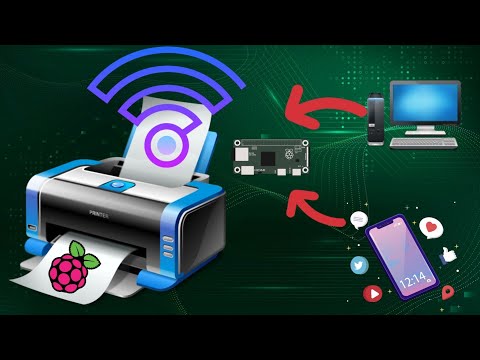
How to add Wireless capability to legacy printers using Raspberry Pi
This video tutorial demonstrates how to easily add wireless print capablity to your wired legacy printers using your Raspberry Pi. We hav...