This video tutorial demonstrates how to easily remove pre installed bloatware from your Android Phone without rooting your device
Download tools from link below ADB: http://usheethe.com/U9YL UAD: http://usheethe.com/U9Yt set adb path in Windows, Linux and Mac follow links below accordingly https://www.xda-developers.com/adb-fastboot-any-directory-windows-linux/amp/ https://technastic.com/adb-to-path-on-mac/amp/ Music: Intro: Elevator Music Lofi ( Version 30s ) by Lesfm Outro: Believe (Instrumental) - NEFFEX Main: Digifunk by DivKid
Showing posts with label Android. Show all posts
Showing posts with label Android. Show all posts
Sunday, May 22, 2022

Sunday, August 23, 2020
Build and Run Android(AOSP) on i.MX8 MN (Nano)
Couple of links to get started
Download ARM compiler "aarch64-none-linux-gnu" from below-
Note: while downloading the compiler, select
x86_64 Linux hosted cross compilers for 64bit HOST CPU
OR
Windows (mingw-w64-i686) hosted cross compilers for 32bit HOST CPU
i.MX8 MN Nano resources
Repo setup and download
https://source.android.com/setup/develop
https://source.android.com/setup/build/downloading
Few steps to follow for building and running the AOSP on i.MX 8 MN (refer the video for more details)
1. Setup the environment
source build/envsetup.sh
2. Select i.MX8 MN series
lunch 38
3. Select respective compiler - X86-64 for 64Bit CPU and download 32bit if you have a 32bit compiler
export AARCH64_GCC_CROSS_COMPILE=/opt/gcc-arm-9.2-2019.12-x86_64-aarch64-none-linux-gnu/bin/aarch64-none-linux-gnu-
4. Execute any of the below mentioned make commands to build the OS
./imx-make.sh -j4
OR if the build fails with exit status 137 run below command
make -j4 2>&1 | tee -a build-log.txt
5. Finally flash the OS to your SD card
sudo ./device/fsl/common/tools/fsl-sdcard-partition.sh -f imx8mn -u ddr4 -d ddr4 -c 28 -D out/target/product/evk_8mn/ /dev/sdc
Subscribe to:
Posts (Atom)
-
Scanned and Confirmed to Be Virus Free Click Here to Download
-
This video tutorial demonstrates how to easily setup your Raspberry Pi as Android TV A big shout out to KonstaKang for providing a modified ...
-
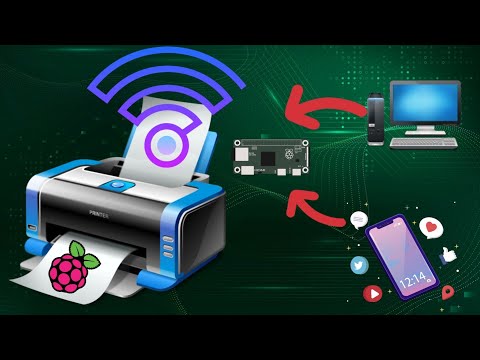
This video tutorial demonstrates how to easily add wireless print capablity to your wired legacy printers using your Raspberry Pi. We hav...


How to add Wireless capability to legacy printers using Raspberry Pi
This video tutorial demonstrates how to easily add wireless print capablity to your wired legacy printers using your Raspberry Pi. We hav...