Showing posts with label raspberry pi. Show all posts

Saturday, June 25, 2022

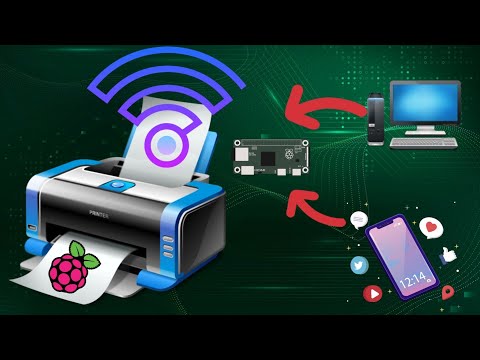
How to add Wireless capability to legacy printers using Raspberry Pi


This video tutorial demonstrates how to easily add wireless print capablity to your wired legacy printers using your Raspberry Pi. We have used Balena cloud services to achieve this. For more details visit link below https://www.balena.io/ Visit link below to deploy CUPS service on your Balena device https://www.balena.io/blog/wifi-enable-usb-printers-with-a-raspberry-pi-and-share-it-over-your-network/ Support my channel - Buy Me a Ko-Fi https://ko-fi.com/prajnith Music: Intro: Elevator Music Lofi ( Version 30s ) by Lesfm Outro: Believe (Instrumental) - NEFFEX Main: Digifunk by DivKid

Saturday, June 11, 2022

How to configure your Raspberry Pi as WiFi Hotspot


This video tutorial demonstrates how to easily setup your Raspberry Pi as Wireless Hotspot especially useful when your Modem lacks wireless connectivity or Weak Wireless strength on your Routers. To know how to setup Dietpi Linux for your raspberry Pi watch the video tutorial below https://youtu.be/h0BYm_THEU8 Download DietPi Linux from https://dietpi.com/#download Support my channel - Buy Me a Ko-Fi https://ko-fi.com/prajnith Music: Intro: Elevator Music Lofi ( Version 30s ) by Lesfm Outro: Believe (Instrumental) - NEFFEX Main: Digifunk by DivKid

Tuesday, May 31, 2022

How to setup Android TV on Raspberry Pi


This video tutorial demonstrates how to easily setup your Raspberry Pi as Android TV A big shout out to KonstaKang for providing a modified version of Lineage OS for Raspberry PI Download Lineage OS (Android Tv Build) below http://usheethe.com/aZmx Download OpenGapps below http://usheethe.com/aZm0 Alternatively you can download MindTheGapps below http://usheethe.com/aZmR Author Konsta Kang has release Lineage OS 19(android 12), you can follow same method mentioned in this video tutorial to install this on your Raspberry Pi https://konstakang.com/devices/rpi4/LineageOS19/ Music: Intro: Elevator Music Lofi ( Version 30s ) by Lesfm Outro: Believe (Instrumental) - NEFFEX Main: Digifunk by DivKid

Friday, March 18, 2022

How to interface CAN peripheral to Raspberry Pi


 This video demonstrates how to interface a CAN board to RaspberryPi

Buy the waveshare CAN hat at http://barsoocm.com/2HQY Run below command sudo raspi-config now navigate to Interface Options → SPI and select Yes to enable the SPI interface. Edit the config file sudo nano /boot/config.txt Add this line to the file: dtoverlay=mcp2515-can0,oscillator=12000000,interrupt=25,spimaxfrequency=2000000 Now reboot your Pi and after bootup run below command to check setup CAN interface sudo /sbin/ip link set can0 up type can bitrate 500000 Verify the interface is up with below command ip addr | grep "can" Install CAN utilities with below command sudo apt install can-utils To receive data from other nodes run below command candump -tz can0 To send a sample data cansend can0 7FF#0102030405060708 This will send a CAN 11-bit ID of 7FF. Data 01 02 03 04 05 06 07 08

Tuesday, December 21, 2021

How to setup/Install Windows 10/11 on Raspberry Pi


This video demonstrates how to setup/install Windows 10/11 on Raspberry Pi 3 or above Website to visit to download the necessary tools Windows 10/11 iso creator UUDUMP: http://fumacrom.com/3Hnpl ISO flashing tool WOR: http://fumacrom.com/3HnrH

Monday, December 20, 2021

How to remote desktop to Raspberry Pi from Windows


This video demonstrates how to configure and install remote desktop on Raspberry Pi and connect to Raspberry Pi from Windows using XRD Install XRDP by executing commands below sudo apt update sudo apt install xrdp

Tuesday, August 3, 2021

Interfacing LCD and Camera with Raspberry PI and Perform Face Detection


This video demonstrates how to Interfacing LCD and Camera with Raspberry PI and Perform Face Detection using OpenCV and Python

Download LCD-Show below
http://fumacrom.com/1rwYb

Download Face Detection Python script below
http://fumacrom.com/1rwWl

Install OpenCV and numpy in Python using command below (pip for old python and pip3 for python3 )

pip install opencv-python
                    OR
pip3 install opencv-python

pip install numpy --upgrade
                     OR
pip3 install numpy --upgrade

Mine crypto on your android phone without draining your battery from link below
https://cryptotabbrowser.com/23696808

For more details on mining cypto refer link below
https://youtu.be/7y5US3Y90Fc

Tuesday, July 20, 2021

Network Attached (Addressable) Storage (NAS) On Raspberry PI


This video demonstrates How to get setup your Raspberry PI as NAS with simple steps

Get Raspberry Pi @ https://amzn.to/3kzJx6A

Commands to execute sudo apt update sudo apt upgrade wget -O - https://raw.githubusercontent.com/OpenMediaVault-Plugin-Developers/installScript/master/install | sudo bash RPI imager download https://downloads.raspberrypi.org/imager/imager_latest.exe https://downloads.raspberrypi.org/imager/imager_latest_amd64.deb https://downloads.raspberrypi.org/imager/imager_latest.dmg


Sunday, June 27, 2021

Buildroot basics with RaspberryPI II


Create Linux image from scratch for RaspberryPi using Buildroot. To build images for other Raspberry PI model follow the link below https://github.com/buildroot/buildroot/blob/8d07baab43b5624ad6d73ee58f5a9d4ab8b27049/board/raspberrypi/readme.txt This entire video was edited using InShot video editor for android, refer link below to download the app (Not sponsored) https://play.google.com/store/apps/details?id=com.camerasideas.instashot&hl=en_IN&gl=US

Get Raspberry pi @ Amazon

How to add Wireless capability to legacy printers using Raspberry Pi

  This video tutorial demonstrates how to easily add wireless print capablity to your wired legacy printers using your Raspberry Pi. We hav...