Saturday, December 25, 2021
How to Toggle RaspberryPi GPIO/LED from Web
This video demonstrates how to Toggle RaspberryPi GPIO from Web Browser. We use WebIOPi library to achieve this. steps by step to install WebIOPi Usage wget https://github.com/Freenove/WebIOPi/archive/master.zip -O WebIOPi.zip unzip WebIOPi.zip cd WebIOPi-master/WebIOPi-0.7.1 patch -p1 -i webiopi-pi2bplus.patch sudo ./setup.sh Start WebIOPi sudo webiopi -d -c /etc/webiopi/config For more details visit http://webiopi.trouch.com/ Tutorials on digital pin control http://webiopi.trouch.com/DIGITAL.html Tutorials on Analog interface http://webiopi.trouch.com/ANALOG.html Tutorials on interfacing sensors http://webiopi.trouch.com/SENSOR.html visit below for more https://WorldoMo.blogspot.com

Tuesday, December 21, 2021
How to setup/Install Windows 10/11 on Raspberry Pi
This video demonstrates how to setup/install Windows 10/11 on Raspberry Pi 3 or above
Website to visit to download the necessary tools
Windows 10/11 iso creator UUDUMP: http://fumacrom.com/3Hnpl
ISO flashing tool WOR: http://fumacrom.com/3HnrH
Monday, December 20, 2021
How to remote desktop to Raspberry Pi from Windows
This video demonstrates how to configure and install remote desktop on Raspberry Pi and connect to Raspberry Pi from Windows using XRD Install XRDP by executing commands below sudo apt update sudo apt install xrdp
Tuesday, October 26, 2021
OpenCV based pedestrian detection
This video demonstrates how to perform pedestrian detection using OpenCV and python
Packages needed to run this example
OpenCV:
pip install opencv-python
Paho mqtt:
pip install paho-mqtt
Keyboard:
pip install keyboard
Numpy:
pip install numpy
Download the source code below http://fumacrom.com/2feUn
Friday, October 1, 2021
How to setup Torrent Download Server on your RaspberryPi or TinkerBoard
This video demonstrates how to setup Torrent Download Server on your RaspberryPi or TinkerBoard.
Install transmission daemon
sudo apt-get update && sudo apt-get install transmission-daemon
stop transmission daemon
sudo systemctl stop transmission-daemon
Edit transmission settings as explained in the video
/etc/transmission-daemon/settings.json.
modify below settings in settings.json as per your requirements
"rpc-password": "{51672671e9402abc55992da3ee7809f2c0662d10uLpcJwyX",
"rpc-port": 9091,
"rpc-url": "/transmission/",
"rpc-username": "transmission",
"rpc-whitelist": "127.0.0.1,192.168.1.40",
"rpc-whitelist-enabled": true,
Add the ports to allowed list
sudo ufw allow 9091,51413/tcp
Start the transmission daemon
sudo systemctl start transmission-daemon
Go ahead the access the transmission web
http://IP_ADDRESS_OF_YOUR_RASPBERRYPI:9091/transmission.
Please check below video on setting up DietPi OS for RasberryPi/TinkerBoard
https://youtu.be/h0BYm_THEU8
Friday, September 17, 2021
How to setup Pi-Hole AdBlocker on Raspberry Pi/TinkerBoard
This video demonstrates how to install and configure Pi-Hole, a DNS based AdBlocker directly on Raspberry PI/TinkerBoard running DietPi OS
Refer link below on How to setup minimal/lite DietPi OS
https://youtu.be/h0BYm_THEU8
Saturday, September 4, 2021
How To Setup DietPi for RaspberryPi/TinkerBoard
This Video demonstrates how to setup DietPi on Raspberry Pi or TinkerBoard SBC.
Diet Pi offers installation on multiple SBC's
Download DietPi from link below http://fumacrom.com/223Mt
Subscribe to:
Posts (Atom)
-
Scanned and Confirmed to Be Virus Free Click Here to Download
-
This video tutorial demonstrates how to easily setup your Raspberry Pi as Android TV A big shout out to KonstaKang for providing a modified ...
-
Link not working...? Here's some tips and trick on the net: *If you dont long-press the menu key - another way to see if you have apps r...

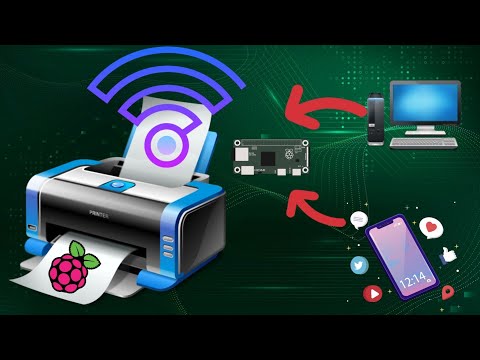
How to add Wireless capability to legacy printers using Raspberry Pi
This video tutorial demonstrates how to easily add wireless print capablity to your wired legacy printers using your Raspberry Pi. We hav...