Why use a power hungry PC when you can mine Crypto currency from Phone, you can achieve this with CryptoTab Pro mobile app using cloud Mining.
Download from link below https://cryptotabbrowser.com/23696808 Music: Another time Musician: LiQWYD
This Video explains four key aspects to consider during microcontroller selection process
Thank You :)
Create Linux image from scratch for RaspberryPi using Buildroot. To build images for other Raspberry PI model follow the link below https://github.com/buildroot/buildroot/blob/8d07baab43b5624ad6d73ee58f5a9d4ab8b27049/board/raspberrypi/readme.txt This entire video was edited using InShot video editor for android, refer link below to download the app (Not sponsored) https://play.google.com/store/apps/details?id=com.camerasideas.instashot&hl=en_IN&gl=US
Get Raspberry pi @ Amazon
Couple of links to get started
Download ARM compiler "aarch64-none-linux-gnu" from below-
Note: while downloading the compiler, select
i.MX8 MN Nano resources
Repo setup and download
https://source.android.com/setup/develop
https://source.android.com/setup/build/downloading
Few steps to follow for building and running the AOSP on i.MX 8 MN (refer the video for more details)
1. Setup the environment
source build/envsetup.sh
2. Select i.MX8 MN series
lunch 38
3. Select respective compiler - X86-64 for 64Bit CPU and download 32bit if you have a 32bit compiler
export AARCH64_GCC_CROSS_COMPILE=/opt/gcc-arm-9.2-2019.12-x86_64-aarch64-none-linux-gnu/bin/aarch64-none-linux-gnu-
4. Execute any of the below mentioned make commands to build the OS
./imx-make.sh -j4
OR if the build fails with exit status 137 run below command
make -j4 2>&1 | tee -a build-log.txt
5. Finally flash the OS to your SD card
sudo ./device/fsl/common/tools/fsl-sdcard-partition.sh -f imx8mn -u ddr4 -d ddr4 -c 28 -D out/target/product/evk_8mn/ /dev/sdc


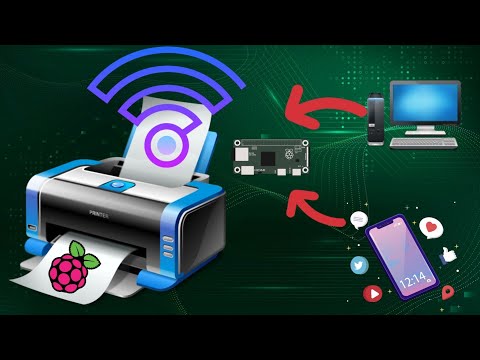
This video tutorial demonstrates how to easily add wireless print capablity to your wired legacy printers using your Raspberry Pi. We hav...