Saturday, June 25, 2022

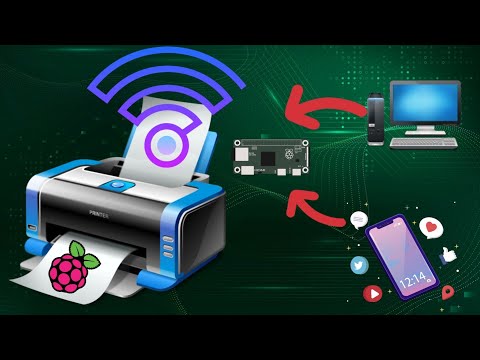
How to add Wireless capability to legacy printers using Raspberry Pi


This video tutorial demonstrates how to easily add wireless print capablity to your wired legacy printers using your Raspberry Pi. We have used Balena cloud services to achieve this. For more details visit link below https://www.balena.io/ Visit link below to deploy CUPS service on your Balena device https://www.balena.io/blog/wifi-enable-usb-printers-with-a-raspberry-pi-and-share-it-over-your-network/ Support my channel - Buy Me a Ko-Fi https://ko-fi.com/prajnith Music: Intro: Elevator Music Lofi ( Version 30s ) by Lesfm Outro: Believe (Instrumental) - NEFFEX Main: Digifunk by DivKid

Saturday, June 11, 2022

How to configure your Raspberry Pi as WiFi Hotspot


This video tutorial demonstrates how to easily setup your Raspberry Pi as Wireless Hotspot especially useful when your Modem lacks wireless connectivity or Weak Wireless strength on your Routers. To know how to setup Dietpi Linux for your raspberry Pi watch the video tutorial below https://youtu.be/h0BYm_THEU8 Download DietPi Linux from https://dietpi.com/#download Support my channel - Buy Me a Ko-Fi https://ko-fi.com/prajnith Music: Intro: Elevator Music Lofi ( Version 30s ) by Lesfm Outro: Believe (Instrumental) - NEFFEX Main: Digifunk by DivKid

Tuesday, May 31, 2022

How to setup Android TV on Raspberry Pi


This video tutorial demonstrates how to easily setup your Raspberry Pi as Android TV A big shout out to KonstaKang for providing a modified version of Lineage OS for Raspberry PI Download Lineage OS (Android Tv Build) below http://usheethe.com/aZmx Download OpenGapps below http://usheethe.com/aZm0 Alternatively you can download MindTheGapps below http://usheethe.com/aZmR Author Konsta Kang has release Lineage OS 19(android 12), you can follow same method mentioned in this video tutorial to install this on your Raspberry Pi https://konstakang.com/devices/rpi4/LineageOS19/ Music: Intro: Elevator Music Lofi ( Version 30s ) by Lesfm Outro: Believe (Instrumental) - NEFFEX Main: Digifunk by DivKid

Sunday, May 22, 2022

How to remove bloatware from your Android Phone without Root


This video tutorial demonstrates how to easily remove pre installed bloatware from your Android Phone without rooting your device

Download tools from link below ADB: http://usheethe.com/U9YL UAD: http://usheethe.com/U9Yt set adb path in Windows, Linux and Mac follow links below accordingly https://www.xda-developers.com/adb-fastboot-any-directory-windows-linux/amp/ https://technastic.com/adb-to-path-on-mac/amp/ Music: Intro: Elevator Music Lofi ( Version 30s ) by Lesfm Outro: Believe (Instrumental) - NEFFEX Main: Digifunk by DivKid
Saturday, April 30, 2022

How to setup VMware ESXi Hypervisor on Raspberry Pi


 In video we are going to learn how to setup VMware EXSi Hypervisor on your Raspberry Pi 4

You can download EXSi from link below https://customerconnect.vmware.com/downloads/get-download?downloadGroup=ESXI-ARM Please clone the repository below for Raspberry Firmware https://github.com/raspberrypi/firmware Download latest UEFI firmware zip from link below https://github.com/pftf/RPi4/releases

Saturday, April 23, 2022

How to Program STM8S103F With Arduino IDE


This video demonstrates how to program/develop firmware for STM8S103F with Arduino IDE Setting up the Arduino IDE Step 1: Download Arduino IDE below based on your operating system and install it. https://www.arduino.cc/en/software/ Step 2: Tap File , Preferences to open the preferences window and paste the link given below into the additional boards manage URL text box and tap OK. https://github.com/tenbaht/sduino/raw/master/package_sduino_stm8_index.json For details about STM8S103 (blue) visit link below https://tenbaht.github.io/sduino/hardware/stm8blue/ You will need Stlink drivers to program the board via ST Link https://www.st.com/en/development-tools/stsw-link009.html#st-get-software Datasheet of STM8S https://www.st.com/resource/en/datasheet/stm8s103f2.pdf

Monday, April 4, 2022

How to interface SPI TFT LCD(ST7735) with RaspberryPi- Part 2


In this Part2 of interfacing LCD with Raspberry Pi, we are going to use low level drivers/Frame buffers to interface LCD with RPI over SPI interface and hence giving ability to play videos and show console out on the LCD

Please checkout below Part -1 on How to interface LCD with Raspberry PI https://youtu.be/SYdGNpfLxKw Download the dts from link below

http://usheethe.com/3M6v

To add console output to the LCD run the commands below sudo nano /boot/cmdline.txt
At the end of the line enter below text: fbcon=map:10 fbcon=font:VGA8x8
Then save the file. To stream a rtsp stream to lcd, execute the command below ffmpeg -i rtsp://wowzaec2demo.streamlock.net/vod/mp4:BigBuckBunny_115k.mp4 -vf scale=200:-1 -pix_fmt rgb565 -f fbdev /dev/fb1 Execute the command below and you will have the desktop on the lcd FRAMEBUFFER=/dev/fb1 startx This video was created upon request from one of the subscribers. Music: Verve Musician: A-GROUP

Friday, March 18, 2022

How to interface CAN peripheral to Raspberry Pi


 This video demonstrates how to interface a CAN board to RaspberryPi

Buy the waveshare CAN hat at http://barsoocm.com/2HQY Run below command sudo raspi-config now navigate to Interface Options → SPI and select Yes to enable the SPI interface. Edit the config file sudo nano /boot/config.txt Add this line to the file: dtoverlay=mcp2515-can0,oscillator=12000000,interrupt=25,spimaxfrequency=2000000 Now reboot your Pi and after bootup run below command to check setup CAN interface sudo /sbin/ip link set can0 up type can bitrate 500000 Verify the interface is up with below command ip addr | grep "can" Install CAN utilities with below command sudo apt install can-utils To receive data from other nodes run below command candump -tz can0 To send a sample data cansend can0 7FF#0102030405060708 This will send a CAN 11-bit ID of 7FF. Data 01 02 03 04 05 06 07 08

Monday, January 31, 2022

How to interface SPI TFT LCD(ST7735) with RaspberryPi - Part 1


This video demonstrates how to interface SPI TFT LCD(ST7735) with RaspberryPi

We are using GPIO python libraries to toggle gpio's and interface with SPI.

Download the source code from link below http://fumacrom.com/3d4Nd Note: This tutorial was tested on 32bit Raspberry Pi OS and may not work on 64 bit version.

Saturday, January 8, 2022

How to Install Windows Applications on Linux


 This video demonstrates how to configure your Ubuntu OS to install and run windows applications.

open terminal and run below command sudo apt install -y playonlinux

Saturday, December 25, 2021

How to Toggle RaspberryPi GPIO/LED from Web


 This video demonstrates how to Toggle RaspberryPi GPIO from Web Browser.

We use WebIOPi library to achieve this. steps by step to install WebIOPi Usage wget https://github.com/Freenove/WebIOPi/archive/master.zip -O WebIOPi.zip unzip WebIOPi.zip cd WebIOPi-master/WebIOPi-0.7.1 patch -p1 -i webiopi-pi2bplus.patch sudo ./setup.sh Start WebIOPi sudo webiopi -d -c /etc/webiopi/config For more details visit http://webiopi.trouch.com/ Tutorials on digital pin control http://webiopi.trouch.com/DIGITAL.html Tutorials on Analog interface http://webiopi.trouch.com/ANALOG.html Tutorials on interfacing sensors http://webiopi.trouch.com/SENSOR.html visit below for more https://WorldoMo.blogspot.com

Tuesday, December 21, 2021

How to setup/Install Windows 10/11 on Raspberry Pi


This video demonstrates how to setup/install Windows 10/11 on Raspberry Pi 3 or above Website to visit to download the necessary tools Windows 10/11 iso creator UUDUMP: http://fumacrom.com/3Hnpl ISO flashing tool WOR: http://fumacrom.com/3HnrH

Monday, December 20, 2021

How to remote desktop to Raspberry Pi from Windows


This video demonstrates how to configure and install remote desktop on Raspberry Pi and connect to Raspberry Pi from Windows using XRD Install XRDP by executing commands below sudo apt update sudo apt install xrdp

Tuesday, October 26, 2021

OpenCV based pedestrian detection


This video demonstrates how to perform pedestrian detection using OpenCV and python 

Packages needed to run this example 

OpenCV: 

pip install opencv-python 

Paho mqtt: 

pip install paho-mqt

Keyboard: 

pip install keyboard 

Numpy: 

pip install numpy 


Download the source code below http://fumacrom.com/2feUn


Friday, October 1, 2021

How to setup Torrent Download Server on your RaspberryPi or TinkerBoard


This video demonstrates how to setup Torrent Download Server on your RaspberryPi or TinkerBoard.


Install transmission daemon

sudo apt-get update && sudo apt-get install transmission-daemon


stop transmission daemon 

sudo systemctl stop transmission-daemon


Edit transmission settings as explained in the video

/etc/transmission-daemon/settings.json.


modify below settings in settings.json as per your requirements

    "rpc-password": "{51672671e9402abc55992da3ee7809f2c0662d10uLpcJwyX",

    "rpc-port": 9091,

    "rpc-url": "/transmission/",

    "rpc-username": "transmission",

    "rpc-whitelist": "127.0.0.1,192.168.1.40",

    "rpc-whitelist-enabled": true,


Add the ports to allowed list

sudo ufw allow 9091,51413/tcp


Start the transmission daemon

sudo systemctl start transmission-daemon


Go ahead the access the transmission web 

http://IP_ADDRESS_OF_YOUR_RASPBERRYPI:9091/transmission.


Please check below video on setting up DietPi OS for RasberryPi/TinkerBoard

https://youtu.be/h0BYm_THEU8

Friday, September 17, 2021

How to setup Pi-Hole AdBlocker on Raspberry Pi/TinkerBoard


This video demonstrates how to install and configure Pi-Hole, a DNS based AdBlocker directly on Raspberry PI/TinkerBoard running DietPi OS


Refer link below on How to setup minimal/lite DietPi OS

https://youtu.be/h0BYm_THEU8

Saturday, September 4, 2021

How To Setup DietPi for RaspberryPi/TinkerBoard


This Video demonstrates how to setup  DietPi on Raspberry Pi or TinkerBoard SBC.

Diet Pi offers installation on multiple SBC's

Download DietPi from link below http://fumacrom.com/223Mt

Friday, August 27, 2021

How to Run Windows XP on Raspberry Pi or TinkerBoard


This video demonstrates how to run Windows XP on Single board computers like RaspberryPi, TinkerBoard etc.
Follow commands below to boot the OS

qemu-img create -f qcow winxp.img 5G

qemu-system-i386 -m 1024 "winxp.img location" -cdrom "winxp.iso location" -boot d

replace "winxp.img location" and "winxp.iso location" with winxp.img and windows xp iso location on you pc and sbc

Tuesday, August 24, 2021

TinkerBoard:GPIO Toggle with Python


This video explains how to Toggle GPIO ane read from GPIO of Tinker Board with Python script

Setup the OS and install necesary python dev libraries as shown below

sudo apt-get update
sudo apt-get upgrade
sudo apt-get install python-smbus python-dev

git clone http://github.com/TinkerBoard/gpio_lib_python --depth 1 GPIO_API_for_Python

cd GPIO_API_for_Python/

sudo python setup.py install

source code can be downloaded at

http://fumacrom.com/1rwFy

How to add Wireless capability to legacy printers using Raspberry Pi

  This video tutorial demonstrates how to easily add wireless print capablity to your wired legacy printers using your Raspberry Pi. We hav...